Working from home has become a common part of life for many people, making the home workspace an essential area to consider. Creating a relaxing home workspace can help you stay focused, reduce stress, and enjoy your workday more. Whether you’re working remotely full-time or occasionally, the environment around you plays a big role in your productivity and well-being.
In this post, we’ll explore practical ways to design a home office or workspace that feels calm and inviting. From lighting and furniture to organization and personal touches, these tips will help you create a space where you can comfortably focus and stay inspired.
Why a Relaxing Workspace Matters
A cluttered or uncomfortable workspace can lead to distractions, fatigue, and lower productivity. On the other hand, a well-designed workspace promotes concentration, creativity, and a positive mindset. When you create a relaxing area dedicated to work, it signals your brain to focus and separates professional time from leisure time.
Here are some benefits of setting up a calming home workspace:
– Reduces stress and anxiety related to work tasks
– Encourages better posture and physical health
– Improves focus and efficiency
– Supports a healthy work-life balance
– Enhances motivation and job satisfaction
Step 1: Choose the Right Location
The first step is selecting a space in your home that can serve as your workspace. This can be a spare room, a corner of your living room, or even a nook in the bedroom. Here’s what to look for:
– Quietness: Choose a spot with minimal noise and distractions.
– Natural light: Places near windows can boost mood and energy.
– Space: Make sure there’s enough room for your desk, chair, and supplies.
– Separation: Try to keep your workspace physically distinct from relaxation areas.
If space is limited, consider using room dividers, curtains, or shelves to create a sense of separation.
Step 2: Invest in Comfortable Furniture
Comfort is key for a relaxing workspace. Spending long hours in an uncomfortable chair or cramped desk will lead to frustration. Here’s how to get started:
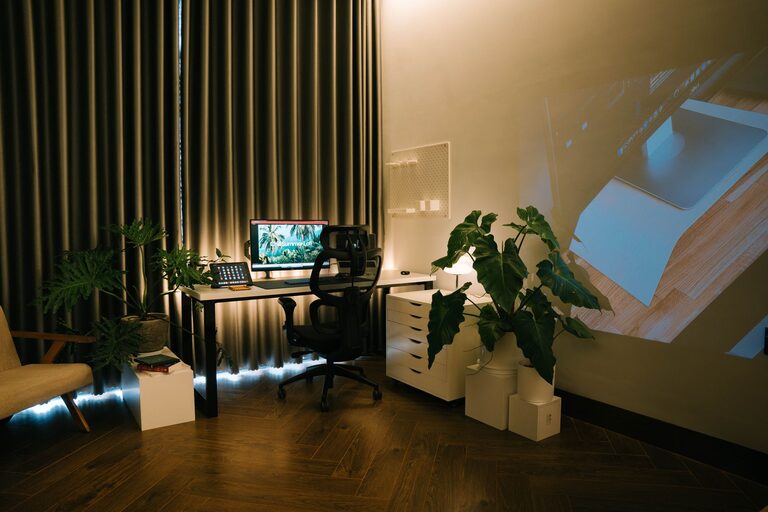
– Ergonomic chair: Choose a chair that supports your lower back and encourages good posture. Adjustable height and armrests are pluses.
– Desk: Select a desk with enough surface area for your computer, writing materials, and other necessities. Adjustable desks or standing desks offer flexible options.
– Footrest: If your feet don’t comfortably reach the floor, a footrest can improve circulation and comfort.
Remember, positioning your computer screen at eye level helps prevent neck and eye strain.
Step 3: Optimize Lighting
Lighting affects both your mood and your ability to see clearly. Use a combination of natural and artificial light for the best effect:
– Natural light: Work close to a window if possible. Sunlight can improve energy and reduce fatigue.
– Task lighting: Use a desk lamp with adjustable brightness and direction to illuminate your work area without glare.
– Avoid harsh lighting: Overhead fluorescent lights can cause headaches; soft, warm LED bulbs work well.
Consider adding smart lighting that you can dim or change color temperature to suit your time of day or task.
Step 4: Declutter and Organize
A cluttered desk often leads to a cluttered mind. Keeping your workspace tidy supports a calming atmosphere:
– Minimal essentials: Limit your desk items to what you regularly use. Store other supplies nearby but out of sight.
– Storage solutions: Use drawers, shelves, or organizers to keep papers, electronics, and stationery neat.
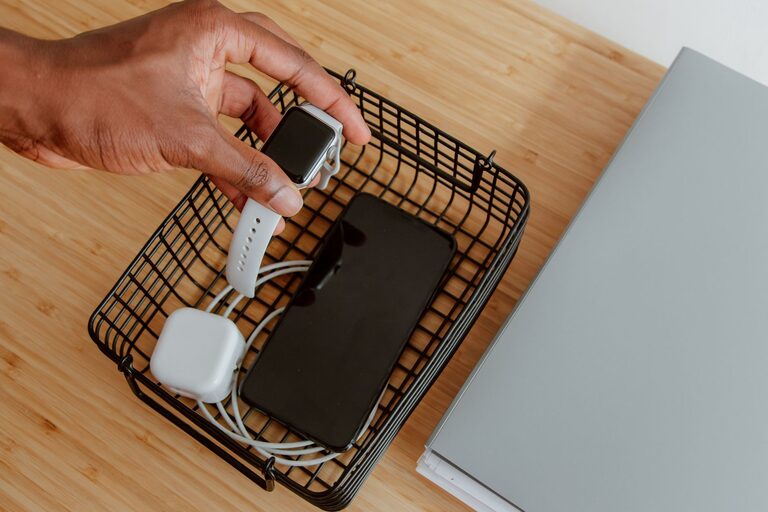
– Cable management: Tidy cables with clips, sleeves, or under-desk trays to prevent tangling and frustration.
Set aside a few minutes at the end of each day to reset your workspace for tomorrow.
Step 5: Add Personal and Soothing Touches
Personalize your workspace with items that make you feel calm and inspired without causing distraction:
– Plants: Indoor plants add color and life, improve air quality, and can lower stress.
– Artwork or photos: Choose pieces that make you happy or motivated, but avoid clutter.
– Aromatherapy: Subtle scents like lavender or eucalyptus (using a diffuser or candle) can promote relaxation.
Additionally, consider adding a cozy throw blanket or cushion for comfort during breaks.
Step 6: Control Noise Levels
Noise can be a major distraction, so managing sound is important:
– Noise-canceling headphones: Great for tuning out background noise while listening to calming music or ambient sounds.
– White noise machines: These can mask disruptive sounds and help with concentration.
– Soft furnishings: Rugs, curtains, and upholstered chairs can absorb sound and reduce echo.
If possible, inform others in your household about your work hours to minimize interruptions.
Step 7: Maintain Healthy Habits
A relaxing workspace also supports your overall well-being:
– Take breaks: Step away from your desk regularly to stretch and rest your eyes.
– Stay hydrated: Keep a water bottle nearby and drink throughout the day.
– Move around: Incorporate standing or walking breaks to reduce stiffness.
Use reminders or apps to encourage these habits and keep your workspace a place of both productivity and comfort.
—
Creating a relaxing home workspace is all about balancing comfort, organization, and personal touches. With these simple steps, you can build an environment that supports your focus, reduces stress, and makes working from home more enjoyable. Start small, adjust based on your needs, and watch your productivity improve in a calming space tailored just for you.
About the Author